

Most people's knowledge is scattered across a dozen apps. Notes in one, tasks in another, health data in a third, chat history with an AI model in a fourth. Each app holds a slice, none of them talk to each other, and none of them are yours in any lasting sense. If a company shuts a service down or changes its terms, the slice goes with it.
AI agents make this more pressing. An agent that can read your notes, plan your week and write code for you is only as good as what it can see, and only as safe as the rules it works under. Give it everything and you've handed a stranger your diary. Give it nothing and it's a chatbot with amnesia.
Today we made the engine behind our own second brain public: github.com/kon-rad/secondbrain, MIT licensed. This post explains how it works from the bottom up: where the notes live, how search works, how agents are kept in line, how the data is backed up, and how the same system shows up on a laptop, a server, a TV and a computer you wear.
What is secondbrain, in one paragraph?
secondbrain is a set of parts that turn a folder of markdown notes into a private, searchable memory that you and your AI agents share. The folder is a git repo you own. The parts are a web app that indexes and searches it, a small rulebook and two hooks that every agent follows, a set of shared agent skills, and a starter template. The engine is public. Your notes never enter it.
Where do my notes live?
In plain markdown files, in a git repo you control. A markdown file is a text file with light formatting: # for a heading, ** for bold, a note's name in double square brackets for a link to another note. Any editor can open it, it diffs cleanly in git, and it will still be readable in fifty years.
The folders follow PARA, adapted from a method by Tiago Forte that sorts everything by how actionable it is (his R stands for Resources; we use Research):
- Projects: things with a finish line ("ship the garden sensor").
- Areas: ongoing responsibilities with no finish line ("health", "home lab").
- Research: topics you're learning about.
- Archives: anything finished or paused.
The engine sits inside your vault as a git submodule at .secondbrain/. A submodule is a pointer from one git repo to a specific commit of another. Think of it as a bookmark into someone else's library: your repo records which version of the engine you use, and you move the bookmark when you want an update. The engine's code lives in its own public repo; your notes live in yours. Nothing flows from your vault into the engine.

Setting one up takes four commands:
mkdir my-vault && cd my-vault && git init
git submodule add https://github.com/kon-rad/secondbrain.git .secondbrain
.secondbrain/bin/secondbrain-vault init .
cp .env.example .env
init copies the PARA template, writes your agent rules and links the shared skills. The .env file holds your keys and settings; it's gitignored, so it never reaches a remote.
How does the app find anything?
The app is a TypeScript web server (Express) with a React front end, backed by Postgres. It reads your vault, stores an index of every note in the database, and gives you three ways to search it.
The first thing to understand is that the index is disposable. Markdown is the source of truth for anything written in prose. The app's index (which files exist, which notes link to which, which tags they carry) is rebuilt from the files. Drop the database, rescan, and you've lost nothing.

Search comes in three modes:
- Keyword: Postgres full-text search. It understands quoted phrases and
-exclusions, and it's the mode to use when you remember the exact words. - Semantic: each note is cut into chunks of about 400 tokens along its headings, and each chunk is turned into an embedding (a list of 1,024 numbers that captures what the text means). The
pgvectorextension stores those numbers and finds the chunks closest in meaning to your question. This finds notes that never use your words. - Hybrid: both, merged by reciprocal rank fusion. Instead of trying to put a keyword score and a similarity score on the same scale, which are unrelated numbers, it merges the two ranked lists by position. If the embedding service is down, hybrid falls back to keyword and says so.

Embeddings can come from a hosted model or from Ollama on your own hardware, in which case nothing leaves your network. We chose to keep vectors in the same Postgres as everything else, so a deleted note drops its vectors in the same transaction and there's no second database to drift out of sync.
What does Postgres hold, if the notes are the truth?
Some data isn't prose. A gear inventory, the readings from a smart ring, a project's stage, a message between two agents: these are records, and records belong in tables. So the system has three layers, and each has exactly one way to be written:
- Markdown vault: the truth for all prose. You (or an agent) edit the file; git moves it.
- Postgres records: the truth for structured data. Each kind is written only by its own command-line tool or pipeline, never by hand-typed SQL.
- Derived index and vectors: the truth for nothing. Rebuilt from markdown by the scanner and the embedder.

The rule that holds this together is never write one fact in two layers. A record that needs a long explanation keeps a notes_path pointing at a markdown note, instead of copying the prose into the table.
The app also has a database page: you type a question in plain language, a model writes the SQL, you can edit it, and it runs read-only.

Everything past browsing and searching is a module you switch on by name in MODULES: a project tracker, a message board for a company of agents, a ledger of what your agents cost, a 3D map of how your notes connect, a player for your own video episodes, read-aloud with a local voice, livestream stats, smart ring data, and an agents page with a kanban board, chats and cron history. A module that's off mounts no routes and shows no link.
How do agents work in it without causing damage?

The agents are the ones you already use. Claude Code and Hermes are supported today; anything that reads an AGENTS.md file can follow the rules. The engine gives them three things.
One rulebook. AGENTS.md at the vault root tells every agent where files go, how to write a research note, how to handle keys, and what to leave behind when it finishes. It's compiled from two halves: shared rules from the engine and your own rules from AGENTS.local.md. Claude Code's CLAUDE.md just imports it, so two agents can't drift apart.
Two hooks. A hook is a small program the agent runtime runs at a fixed moment, which can stop the agent's action. The engine ships two, and both agents run the same files:
- The guard runs before every shell command and every file read or write. It blocks reading or printing your
.env, force-pushing to git,rsync --deletewithout a dry run, and anything you list in your ownguard.local.json(a protected folder, a file that must not be deleted). When it blocks, the reason starts withguard:, and the rule is that the agent tells you what it was trying to do instead of working around it. - The dev-log gate runs when an agent tries to finish. If the session changed a skill, a script, server config or a hook and there's no dev log entry dated today, it sends the agent back once to write one.

The gate matters more than it looks. An agent's work is only useful to the next agent (or to you, next week) if someone wrote down what changed, why, and how it was tested. Every project keeps a dev log whose README starts with a six-line Resume block (task, outputs, completed, decisions, open issues, next action), which is the handoff between sessions.
Shared skills. A skill is a folder with a SKILL.md file: a written procedure an agent loads when the task matches. The engine ships a few that work for anyone, such as fact-check (verify every claim in a finished document against its sources) and ingest (turn a link into a summarized note). Your own skills live next to them in your vault.
The analogy: the vault is a workshop, the agents are skilled contractors, AGENTS.md is the posted house rules, and the hooks are the lock on the cabinet with the keys plus a sign-out sheet at the door. The analogy stops working in one place: the guard only watches the agent's own tools. A script the agent writes can still read whatever your user account can, which is why the keys that matter most should live under a separate account.
What does it borrow from other open-source projects?

Very little here is new on its own. The vault idea comes from the Obsidian and PARA communities. The search is Postgres and pgvector. The newest borrowing is the agent company module.
Paperclip is an open-source project that runs a company of AI agents with an org chart, budgets, a task board and heartbeats. Its heartbeat protocol is the best-tested answer we found to "how do always-on agents work": an agent wakes when it's assigned a task, when someone comments on its task, or on a schedule you set (never on a passing mention), checks the task out so two agents don't do the same work, reports what it did, and escalates to its manager when stuck. Timers are off by default. We adapted that checklist into the shared org-member skill, which is in the public engine.
What we chose differently is where it lives. Paperclip is its own app with its own database and its own UI. We wanted the message board, the tracker and the usage ledger to be tables in the same Postgres as the notes, shown in the same app, so there is one place to look. From CrewAI we took the role, goal and personality fields; from Agency Swarm, reporting lines as explicit edges; from Workora and MCP Agent Mail, channels, direct messages and a human whose messages are the only ones that carry authority. A message between agents is information, never permission: no message can approve a deploy, a payment or a post.
Where does it run?
The same app runs in two modes. Local mode binds only to your own machine and has no login, because the machine is the boundary. Server mode puts it behind Caddy (a web server that handles HTTPS) with a password and an authenticator code, rescans on a timer, and is what your other devices talk to. One deploy script installs Node, Postgres with pgvector, Caddy and the timers on a fresh server; set DEPLOY_DB_BACKUP=1 and it adds the nightly backup.

This is how we run it ourselves:
- A laptop where we write and run agents.
- A small cloud server holding the one Postgres database everything reads and writes, the scheduled agents, and the nightly backup.
- A home lab: an M1 Max laptop with 64 GB of memory on a shelf. It runs Ollama for local models and embeddings, a local text-to-speech server, and the home copy of the backups. Embeddings and speech already run here; next, model calls that should stay private will go here instead of to a hosted API.
- A Raspberry Pi behind a TV, running the
tv-kioskadd-on. - A Raspberry Pi you wear, the Exo, described below.
The server, the home lab and the Pis join one private network with Tailscale, so the database and the home lab are never exposed to the public internet.
The TV kiosk
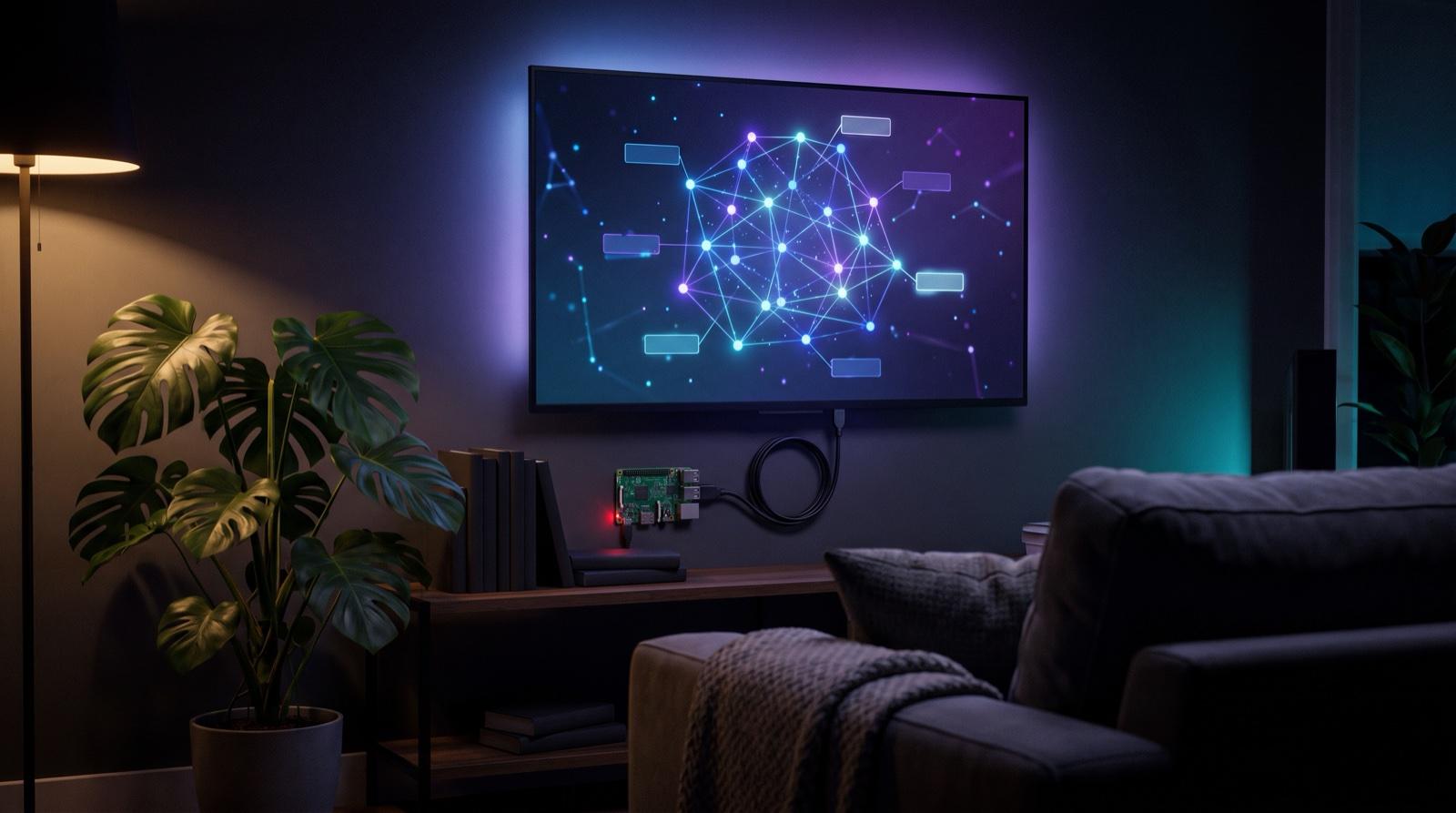
The addons/tv-kiosk folder turns a Raspberry Pi 4 into a screen that shows your second brain all day. flash.sh writes the operating system to an SD card with your Wi-Fi, SSH key and the list of pages already set. On first boot the Pi installs itself, joins your private network and opens Chromium full screen, rotating through the pages you chose and reloading each so the numbers are fresh. The map, TV and agent-board pages each have a lean ?kiosk=1 view made for this. You change what it shows over SSH:
ssh tv@sb-tv sb-tv url https://your-app/map?kiosk=1 https://your-app/projectsThe wearable

The second brain is half of a pair. The other half is Exo, a modular wearable built around a Raspberry Pi: display glasses, earbuds and a few keys on a sling. You hold a key and talk to your own agents. The wearable is a thin client: it carries nothing worth stealing, and everything it hears or measures lands in your vault and your database. A smart ring and body sensors feed the ring module, so your sleep and heart data sit next to your notes, in a table you own. Exo is still being built; secondbrain runs the same without it.
How is my data backed up?
There are two kinds of data, so there are two kinds of backup.
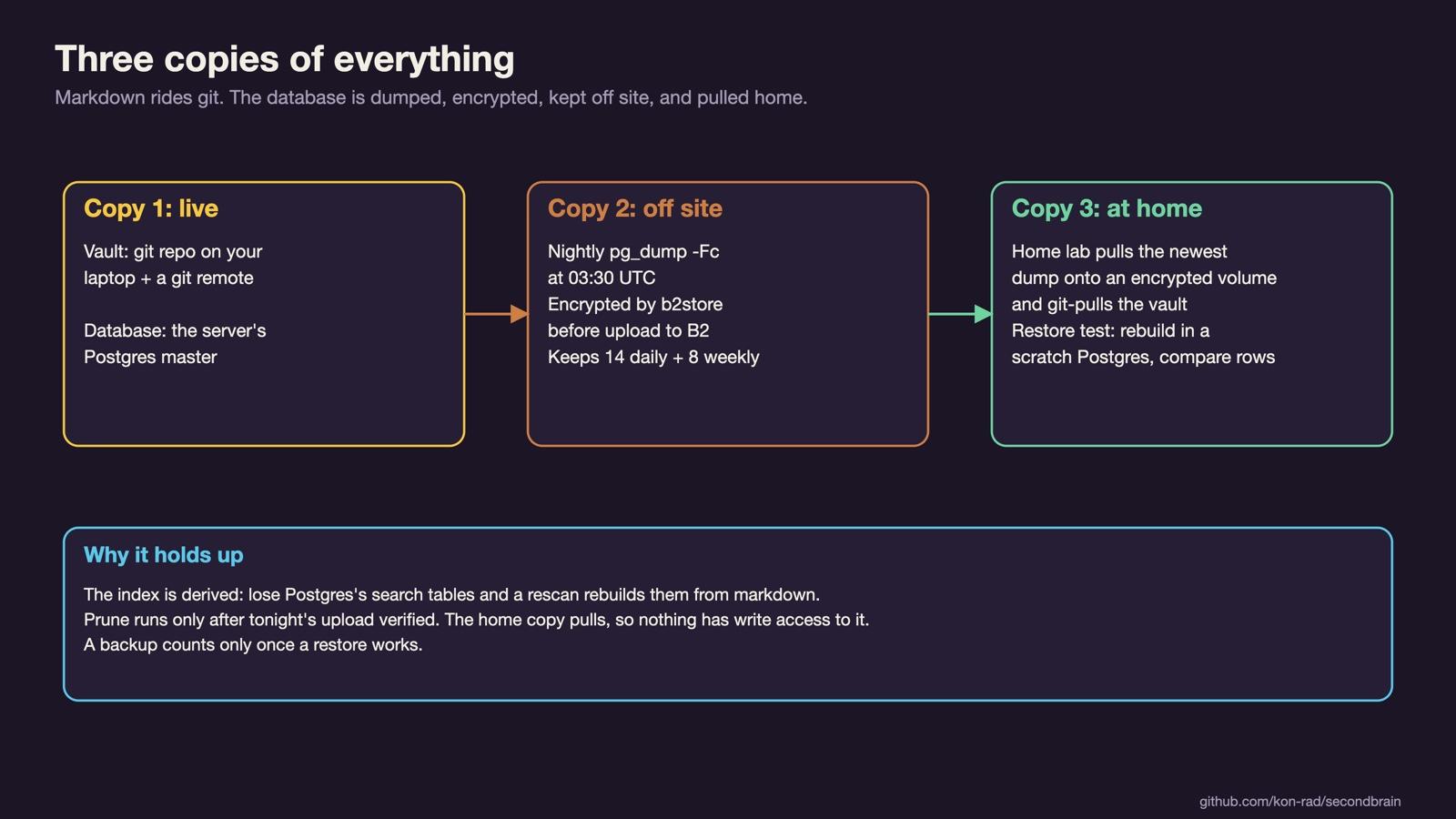
The notes ride git. Every change is a commit, and every clone (your laptop, the server, the home lab) is a full copy with its whole history.
The database is dumped every night. The engine ships a job (secondbrain-db-backup) that runs at 03:30 UTC, makes a compressed pg_dump, checks it can be read back, encrypts it and uploads it to Backblaze B2 object storage. It keeps the 14 newest daily dumps and the 8 newest Sunday dumps, and it only deletes old ones after tonight's upload is verified.
At home, the M1 Max pulls the newest dump every day onto an encrypted disk volume, and pulls the vault into its own git clone. Nothing pushes to it, so nothing else has write access to that copy. The same job can also run a restore test: rebuild the dump in a scratch Postgres and compare row counts with the live database. A backup only counts once a restore works. The home-lab pull is our own setup, not part of the engine yet.
What's built and what's next?
Built and running every day: the vault template, the app with keyword, semantic and hybrid search, the database page, the modules listed above, server mode with login, the guard and the dev-log gate for Claude Code and Hermes, the shared skills, the TV kiosk add-on, and the nightly database backup.
Not in the public engine yet: the compiler that turns one org.yaml file into a whole roster of agents, the dispatcher that wakes them, and the home-lab backup pull. These run in our own vault today and will move into the engine once they work for someone who isn't us. The Exo wearable is in development.
How can I try it or help?
You need Node 22, Python 3.11 and Postgres 15 or newer with pgvector. Make a vault with the four commands above, then follow app/README.md to start the app and run your first scan. Your agents will read AGENTS.md on their own.
To contribute, read CONTRIBUTING.md. Open an issue before anything bigger than a bug fix, write the test first for behavior changes, and run the app tests, the Python tests and scripts/check-public.sh, which checks that nothing personal (names, hosts, paths from your machine) slipped into the change. A skill you propose must work for anyone. AI coding agents are welcome as contributors: they follow AGENTS.md, open pull requests like anyone else, and never merge their own.
The idea underneath all of this is simple: your memory, your agents' memory and your body's data should sit in one place that you own, in formats that will outlive any app, with rules you write. The repo is at github.com/kon-rad/secondbrain, and we post what we build at x.com/myargoquest.