
We run a small company of AI agents. Some answer messages, some write code, some research, and they run on two Macs and a server. At the end of a day there is one plain question: where did the tokens go? Which agent used them, on which task, and why was it awake at all?
The tools we use each keep their own records, in their own formats, on their own machines. Claude Code writes a transcript file per session. Hermes, our other agent runtime, keeps a SQLite database. Our newest runtime, zen-agent, writes a trace file per run. None of them knows about the others, and none of them knows that a run was "the research agent, woken by a card, working on the newsletter project".
The /usage page in our open-source Second Brain app answers that question. This post explains what is on the page, what data it keeps, where that data lives, how it gets there from every machine, and why we think a page like this belongs to the person running the agents, not to a vendor.
What is on the page?
The page opens on two meters: how much of the Claude subscription's five-hour window and seven-day window is used, and when each resets. Next to them sit the balances of the prepaid API accounts we use (OpenRouter, fal.ai and the Gemini API). Google has no balance API, so that one is typed in by hand with a command, and the card says so.
Below the meters and the credit balances is the main chart: tokens over time, as stacked bars per hour or per day, over the last 24 hours, 7, 30 or 90 days. By default the bars split tokens by type: fresh input, cache writes, cache reads and output. A menu regroups the same bars by any label the data carries: by agent, by team, by project, by the reason an agent woke, by what each call did, by machine and more. Clicking a bar narrows every table below it to that hour or that day. Further down, a line chart tracks the plan percent over the same range.
Under the chart come four tables:
- Breakdown: when the chart is grouped, one row per group with its calls, tokens, share of the total, output and tokens per call.
- Runs: one row per headless run (an agent working with nobody at the keyboard): when, who, what woke it, the card, the project, the kind of work, tokens, turns, minutes, and the result of the card's automatic check if it had one.
- Agent sessions: every recorded session from every harness, searchable, which opens into a step-by-step view of prompts, thinking, tool calls and responses.
- Agent wakes: for the company of agents, how many times each one was woken in the range, by what, and how many tokens it spent.
A second tab, "Running now", lists the agent processes alive on the server at this moment.
How do you customise a view?
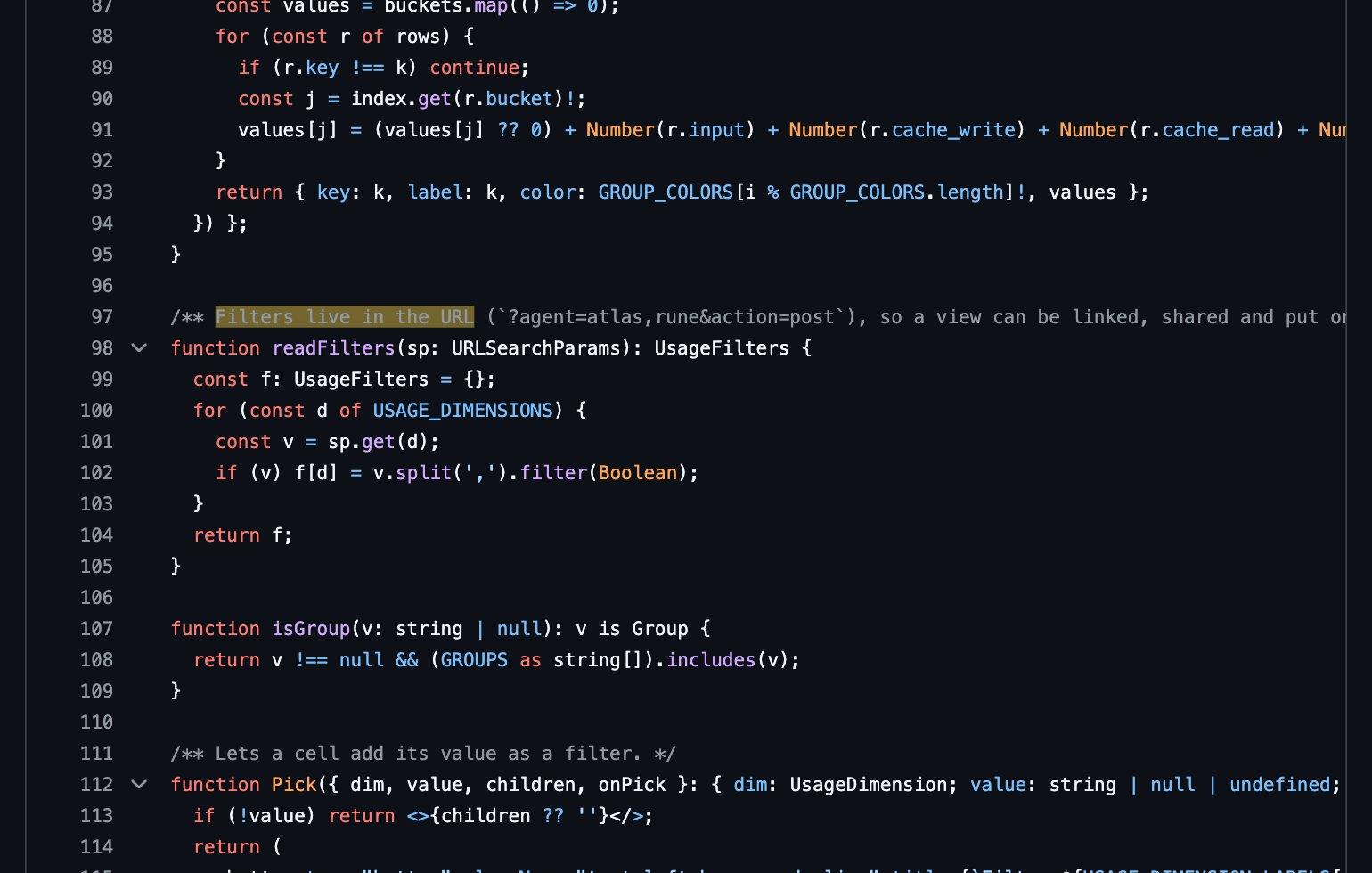
Every view is a set of filters, and every filter lives in the page's address. A link like /usage?agent=atlas,rune&action=post shows only those two agents, and only the calls where they posted a message. Values inside one filter are alternatives (this agent or that one); different filters all have to match (these agents and posting).
That one decision does most of the customising. A view can be bookmarked, sent to a teammate or put on a wall screen, and nobody has to save anything. There are fourteen labels to filter and group by: machine, source, surface, headless or not, model, agent, team, wake reason, action, kind of work, project, feature, card and lane.
Building a view takes three clicks. Pick a label in "add filter", pick a value (each value shows its token count in the current range), and it appears as a chip you can remove. Clicking a name in any table, such as an agent, a project or a wake reason, adds it as a filter too.
When a label is missing, the page says unlabelled rather than guessing. An interactive chat session has no card and no kind of work, so it is counted under unlabelled and left there.
What data is tracked?
The smallest unit is a call: one response from a model. For each call we keep the time, the model, the machine, the session it belongs to, and five token counts (fresh input, cache writes, cache reads, output and thinking), plus web searches. We also keep the first tool the response used, sorted into one of nine actions: a direct message, a post, a ticket, a card, a tracker update, a file write, a read, a shell command, or a plain reply with no tool.
That "first tool" rule is deliberate. A response that calls three tools at once has one token count, and splitting it three ways would mean making up numbers. So the whole count goes to the first tool, and the design says so.
The next unit up is a run: one wake of one agent, from start to finish. A run records the agent, its team, the card it worked on, the reasons it was woken, how many turns it took, how long, which runtime ran it, and the result of the card's automatic check if there was one. An agent can resume the same chat session for days, so the session is not the key; each wake gets its own run.
Two more kinds of record fill in the rest. Hermes keeps running totals per session, so we store a snapshot only when those totals change, and the chart uses the difference between snapshots. The plan meter is a series of readings: percent used, which window, when it resets.
Where is it stored: Postgres or JSON?
Both, with a clear rule for each.
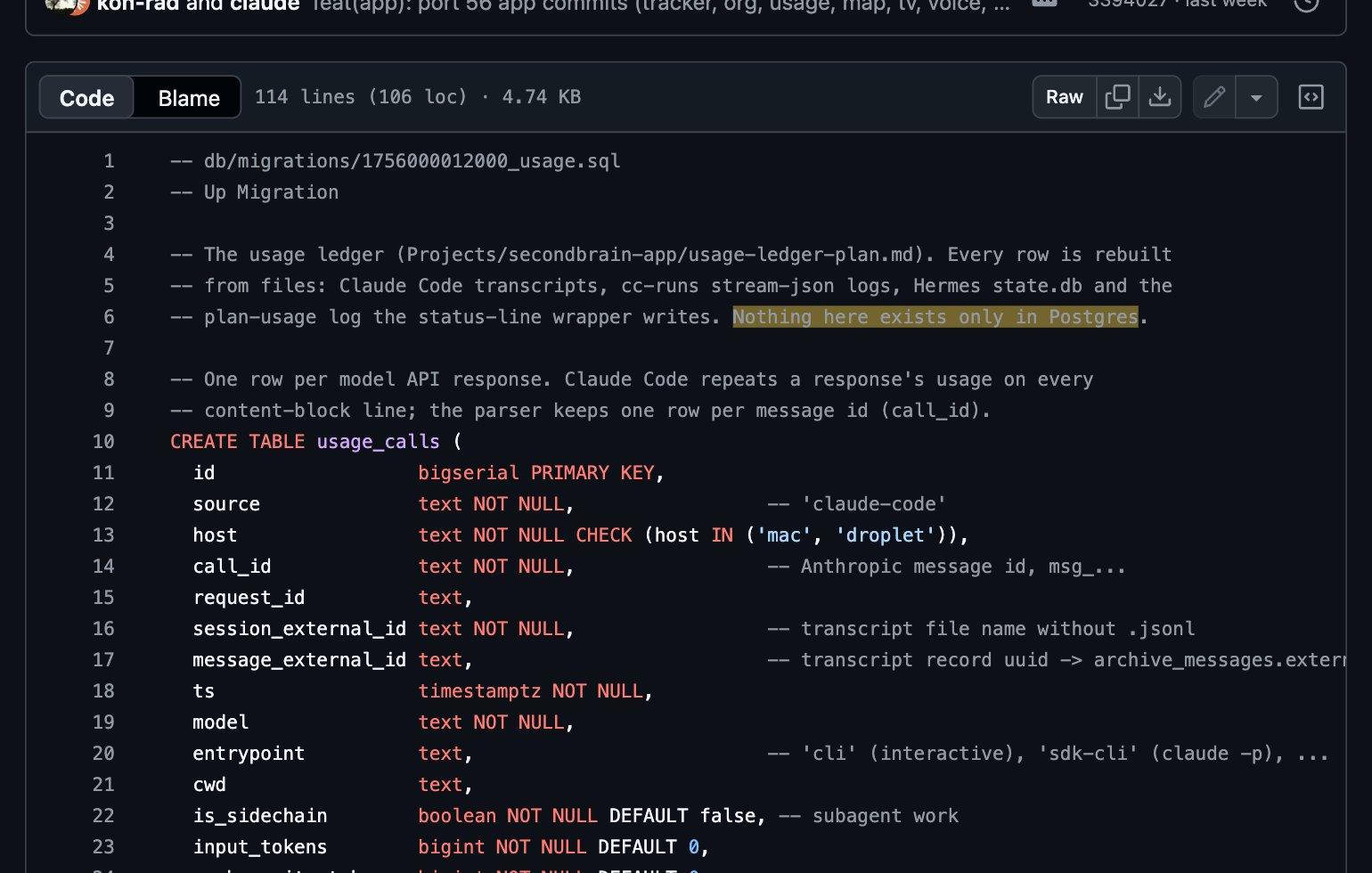
The agents' own files are JSON: Claude Code's transcripts and run logs are JSONL (one JSON record per line), and so are zen-agent's traces. Those files are where every record starts. The first usage migration in the repository sets the rule in one line: nothing in the ledger exists only in Postgres. Rows are built by reading the files, and a re-read of the same file updates rows instead of adding new ones.
That rule had a limit we found later (more on it in the sync section): the agents' files do not live forever. So once each machine had its own ledger, the server's Postgres became the master copy, and the machines keep only recent days.
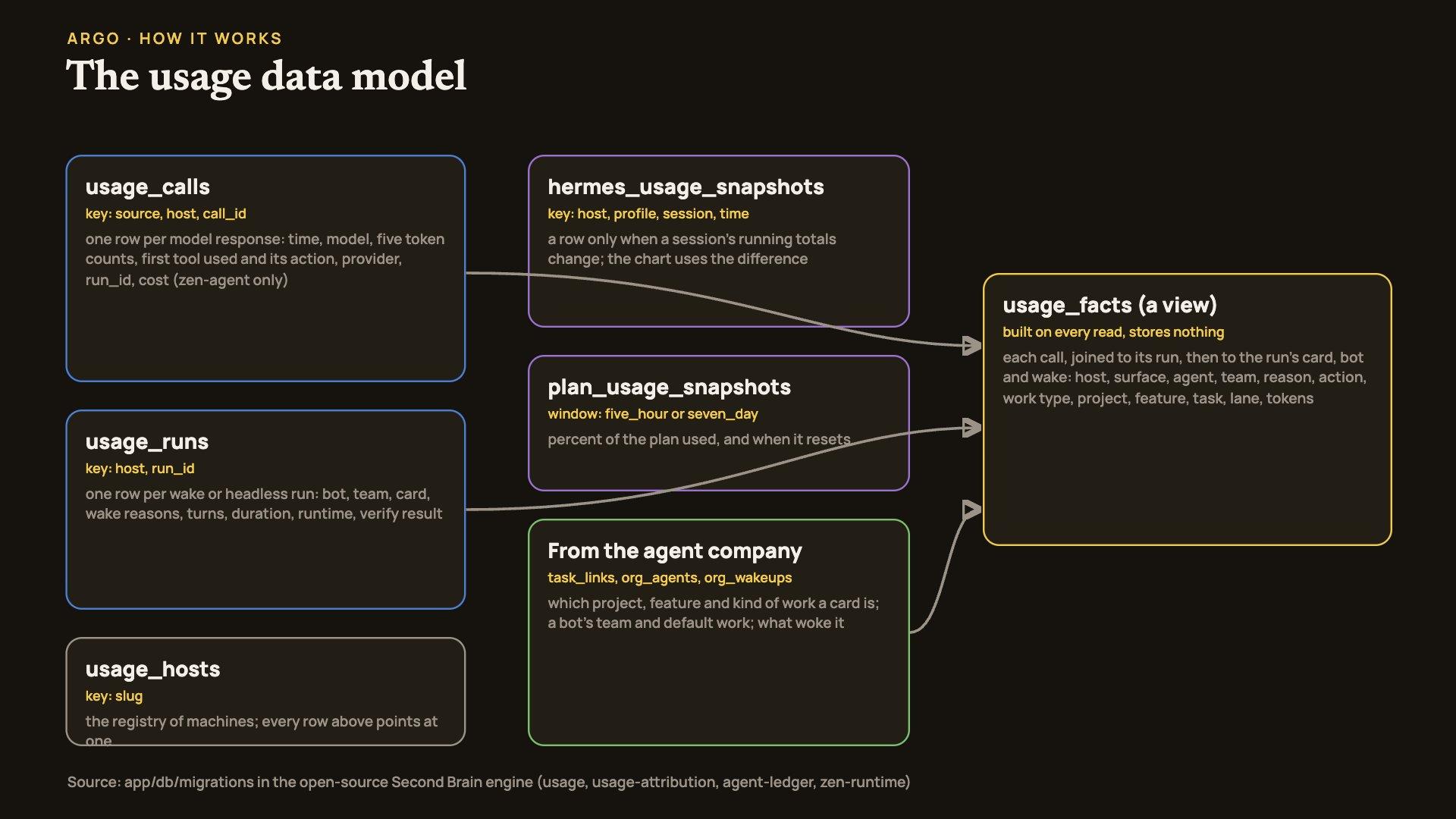
Postgres is where the rows live so the page can ask questions of them quickly. The tables are plain and few:
- `usage_calls`: one row per model response, keyed on source, machine and the response's own id, so reading the same file twice cannot create a duplicate.
- `usage_runs`: one row per wake, keyed on machine and run id.
- `usage_hosts`: the list of machines. Every other row points at one, so a machine has to be registered before its data is accepted.
- `hermes_usage_snapshots` and `plan_usage_snapshots`: the two series described above.
A few columns hold JSON inside Postgres (jsonb), for things whose shape varies: the list of wake reasons, a run's token summary, the size of each part of an agent's system prompt.
How does a call get its labels?
Here is the part that took the most thought. A transcript knows the model and the tokens. It does not know that the session was the research agent working on a card for the newsletter project, woken because someone mentioned it.
Those facts live elsewhere: the card's links to a project and feature, the roster that says which team an agent is on and what kind of work it does by default, and the queue of wakes that records why each agent was started. We do not copy them into the call rows. Instead, a database view called usage_facts joins them at the moment the page asks.
An analogy: a receipt from a shop lists items and prices, and your budgeting app adds "groceries" and "household" later. If you move a shop to a new category, every old receipt from that shop moves with it. The view works the same way. If a card is moved to a different project, every past call on that card follows at once, because the project was never copied into the call. (Where the analogy stops working: the view does no guessing. If a call has no card, it has no project.)
Calls and runs come from different files and can arrive in either order. So after each sync, one step attaches any loose call to the run of the same session that was going on at the time, with two minutes of slack on either side, and it only fills blanks.
How does it sync across machines?
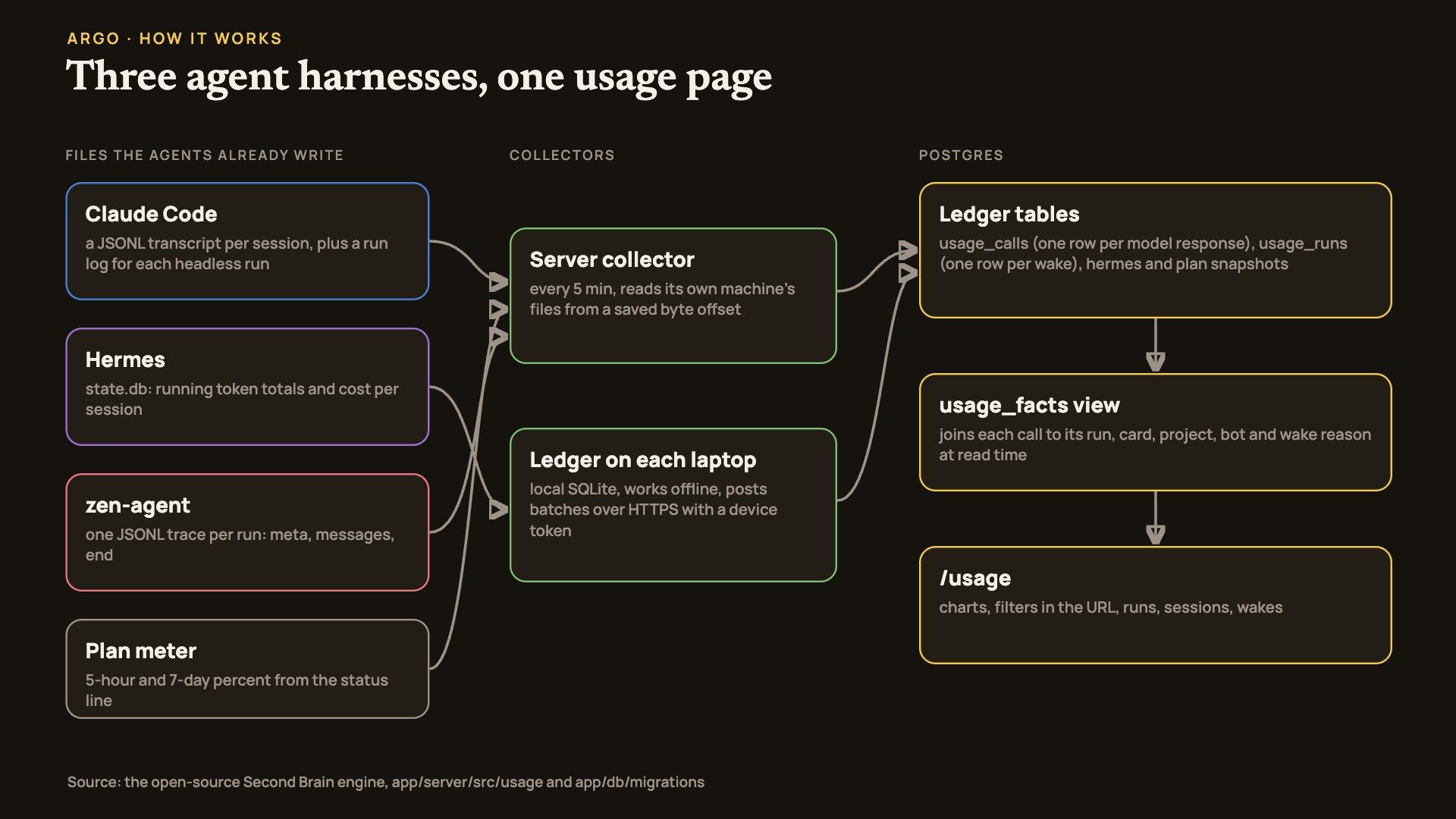
The server reads its own agents' files every five minutes, starting each file from the byte where it stopped last time.
The other machines needed something sturdier. We found that the oldest Claude Code transcript on our laptop was exactly 30 days old, which matches Claude Code's default 30-day cleanup. A laptop that is offline for a month, or a collector that breaks for a month, would lose those records for good. The agents' own files are not a safe buffer.
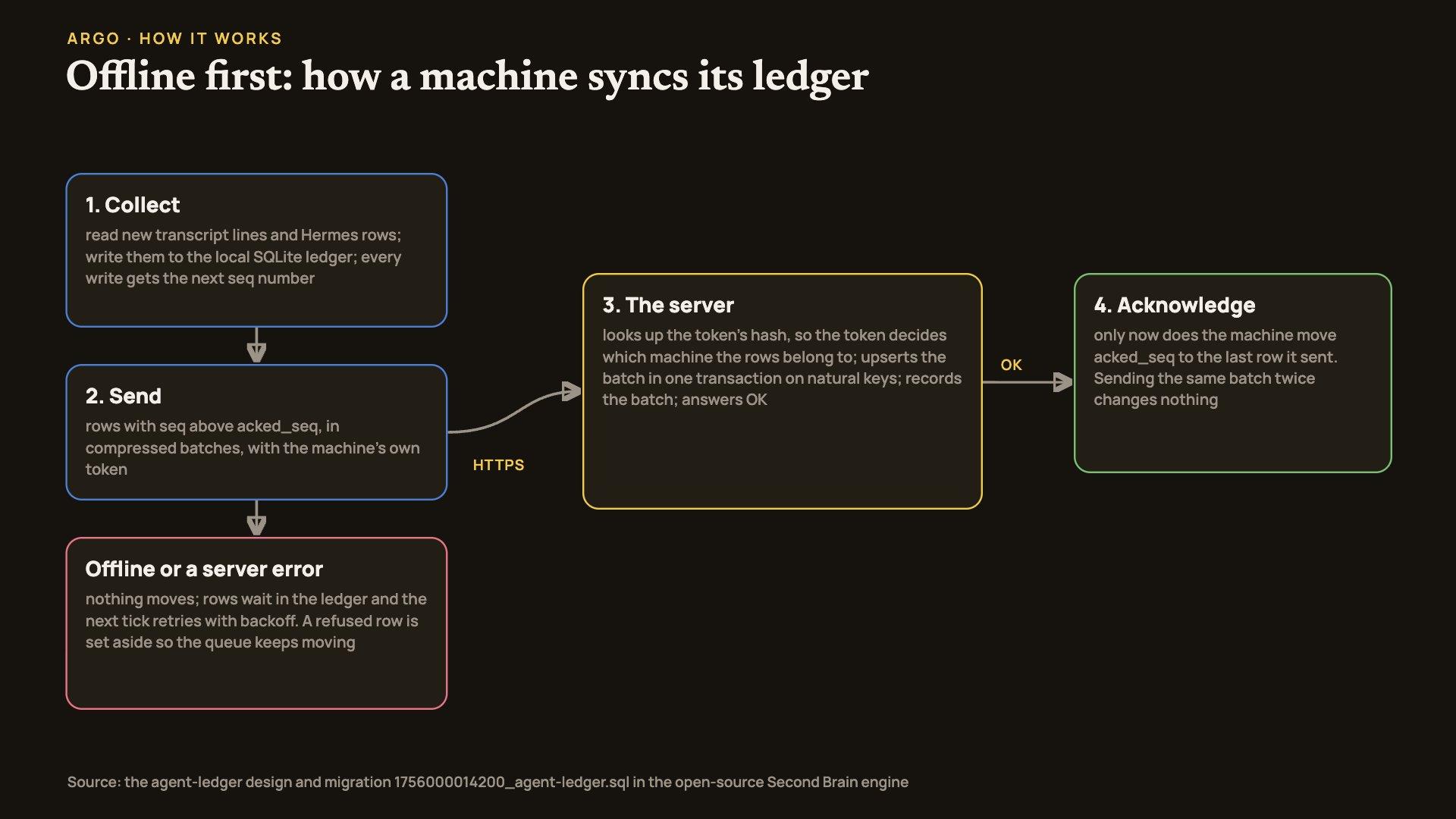
So each laptop runs a small ledger: a local SQLite database (one file on disk, no server needed) that copies every turn within minutes and keeps it until the server confirms it has it. It works like this:
- Collect: new transcript lines and Hermes rows go into the local ledger. Every write gets the next number in one rising sequence.
- Send: rows above the last confirmed number go to the server over HTTPS in gzip-compressed batches (up to 8 MB each), with the machine's own token.
- Store: the server looks up the token, writes every row as that machine whatever the batch claims, inserts or updates the whole batch in one transaction, and answers OK.
- Confirm: only then does the machine move its "confirmed" mark to the last row it sent.
If the network is down or the server errors, nothing moves, and the next run retries with growing pauses. Sending the same batch twice changes nothing, because every row has a natural key. A row the server refuses is set aside and retried later, so one bad row cannot block the rest.
Because the token decides which machine the rows belong to, one machine can never write another machine's records. The server keeps only a hash of each token; the token itself is shown once, when the machine is added.
How do several agent harnesses fit into one ledger?
A harness is the program that runs the model in a loop and gives it tools. We use three, and each gets in through a small parser that turns its records into the same rows.
- Claude Code: the parser reads each transcript and keeps one row per response. Claude Code repeats a response's usage on every content line, so the parser keys on the response id and keeps the fullest copy.
- Hermes: its database holds running totals per session, so we store snapshots when they change. Hermes also reports its own dollar cost, which we keep.
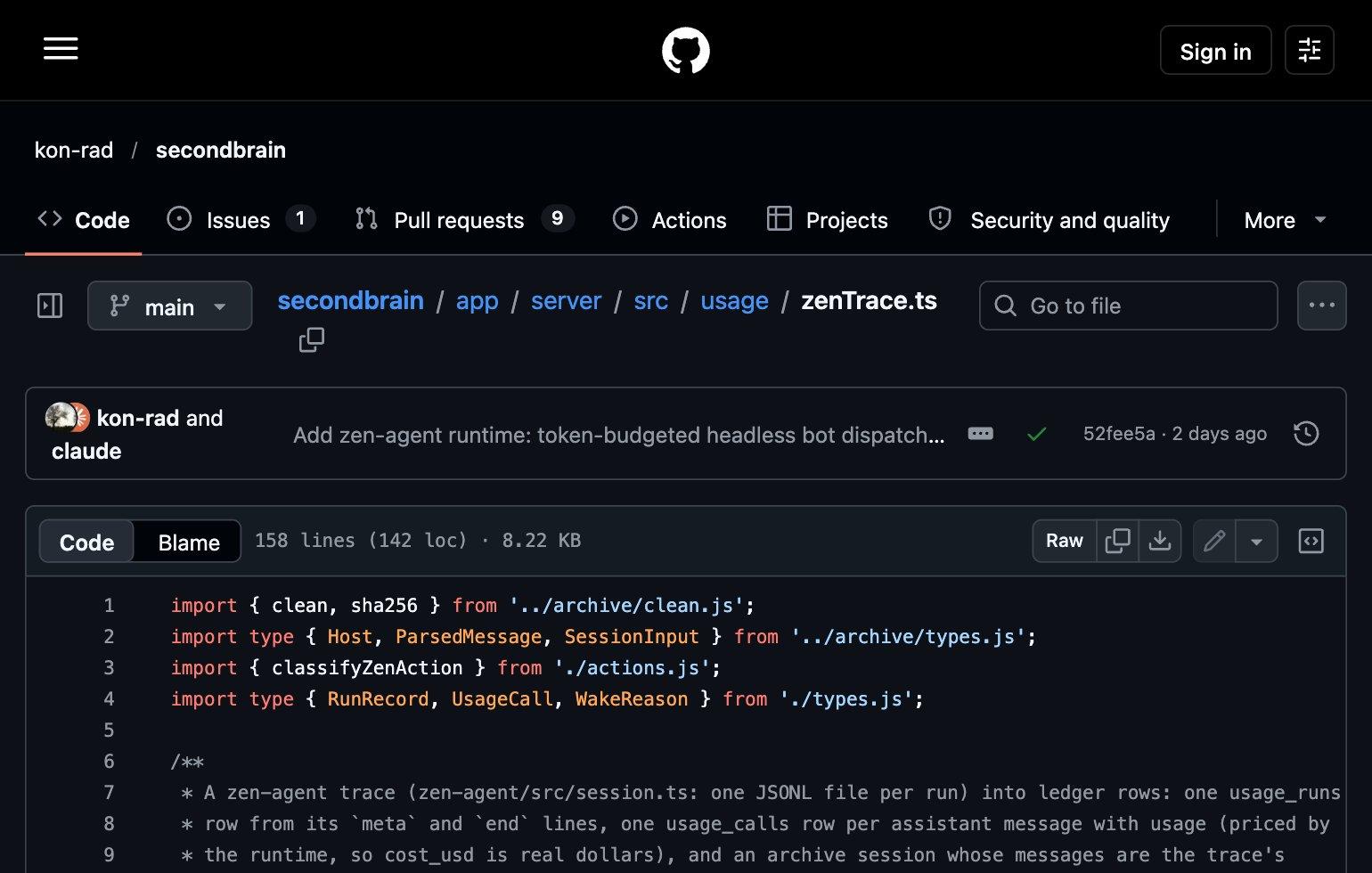
- zen-agent: one trace file per run, with a header line, one line per message and an end line. The parser turns the header and end into a run, and each priced message into a call with its real dollar cost.
The trace format is versioned, and the zen-agent parser refuses a version it does not know. That is the contract: a harness joins by writing records a parser understands, and everything after the parser (the tables, the filters, the page) is shared.
One rule shows how carefully the money is handled. Claude Code runs on a flat subscription, so a dollar figure for it would be an imaginary "what this would have cost on the API". The page never shows one: the server strips every cost field from Claude Code records before they reach the browser, and shows tokens and plan percent instead. Hermes and zen-agent pay per token, so the dollar figure each one reports is shown.
Why does the page matter?
Three reasons, from the most practical to the one we care about most.
It changes decisions. When the five-hour meter climbs, the page shows which agent and which kind of work is spending it. A wake that did nothing shows up as a run with tokens spent and no result, the kind of waste you can only cut once you can see it.
It keeps the record honest. Every number traces back to a record an agent wrote, the page makes nothing up, and a missing label says unlabelled. When we switched a laptop's ledger on, we checked a full day of it against the server and the counts matched exactly: 2,112 calls and 12,898 messages.
It is yours. Your agents read your notes, write your code and act in your name. The record of what they did should sit on your own disk and your own server, in tables you can query, not only in a vendor's billing page. That is the same idea behind Argo's journal: your data, your memory, your story, owned by you.
What's built and what's next
Built and running: the ledger tables, the labelling view, the page with its filters, groups, runs, sessions and wakes, the server collector, and the local ledger with sync on our two Macs. Every recorded session can be opened step by step, with keys removed before anything is stored.
Next, none of it built yet: running the same ledger on the server itself (today the server still uses its own collector), so every machine uses one code path; small single-board computers, which we have planned but not tested on real hardware; and Windows, which the design supports but we have not tested on a real Windows machine.
The code is open source at github.com/kon-rad/secondbrain: the page is in app/web/src/routes/usage/, the server side in app/server/src/usage/ and app/server/src/routes/usage.ts, and the tables in app/db/migrations/. If you run agents of your own, the useful part to copy is the shape: keep the agents' files as the source, rebuild rows from them, label at read time, and never show a number you cannot trace.
We share how we build Argo on the blog and at https://x.com/myargoquest.